
A content plan that gets to filming
Videos, thoughts and scripts in one workflow. Save material, take it into the plan and continue from the right stage.
A plan you can see in full
Idea

3 beginner mistakes in Reels
Script
Filming

My morning in 30 seconds
Script
Published

Answering a follower’s question
Script

People from these companies use Viralmaxing
- skyeng
- SETTERS
- SMM SCHOOL
- vilavi
- БЮРО
- LERNA
Material for later, work for right now
Save a video or thought to the Inbox. Your board shows the material you have chosen to work on.
Inbox

3 beginner mistakes in Reels
Saved for later

How I hit my first thousand
Saved for later

My morning in 30 seconds
Saved for later
Collect first, then decide
Separate research from commitments. Take useful material into the plan, open its breakdown and prepare your own script.
- Videos and thoughts in one place
- Move material into the plan when you are ready
- A connection to the breakdown and script
See what is ready and what to film next
Switch between the board and list. A stage, cover and script help you return to the right material.
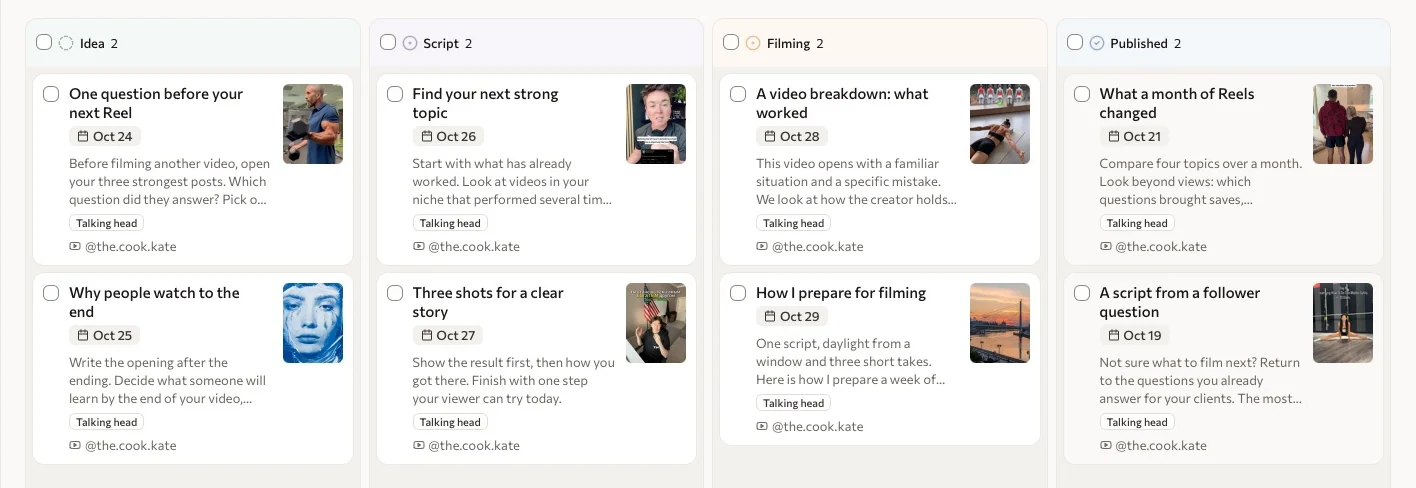
Open the script from your workflow
The video’s content stays alongside its stage and reference material.

A reference to study
Study the structure, then write on your own topic.
Video script
- Status
- In progress
- Format
- Talking head
- Length
- 30 seconds
- Direct
- PLAN
How do you choose which Reel to film next?
Start with the videos that already got a response on your account.
Take a thought into your own words
Work with the reference, breakdown and adaptation. Revisit the script before filming on your computer or iPhone.
Explore script writing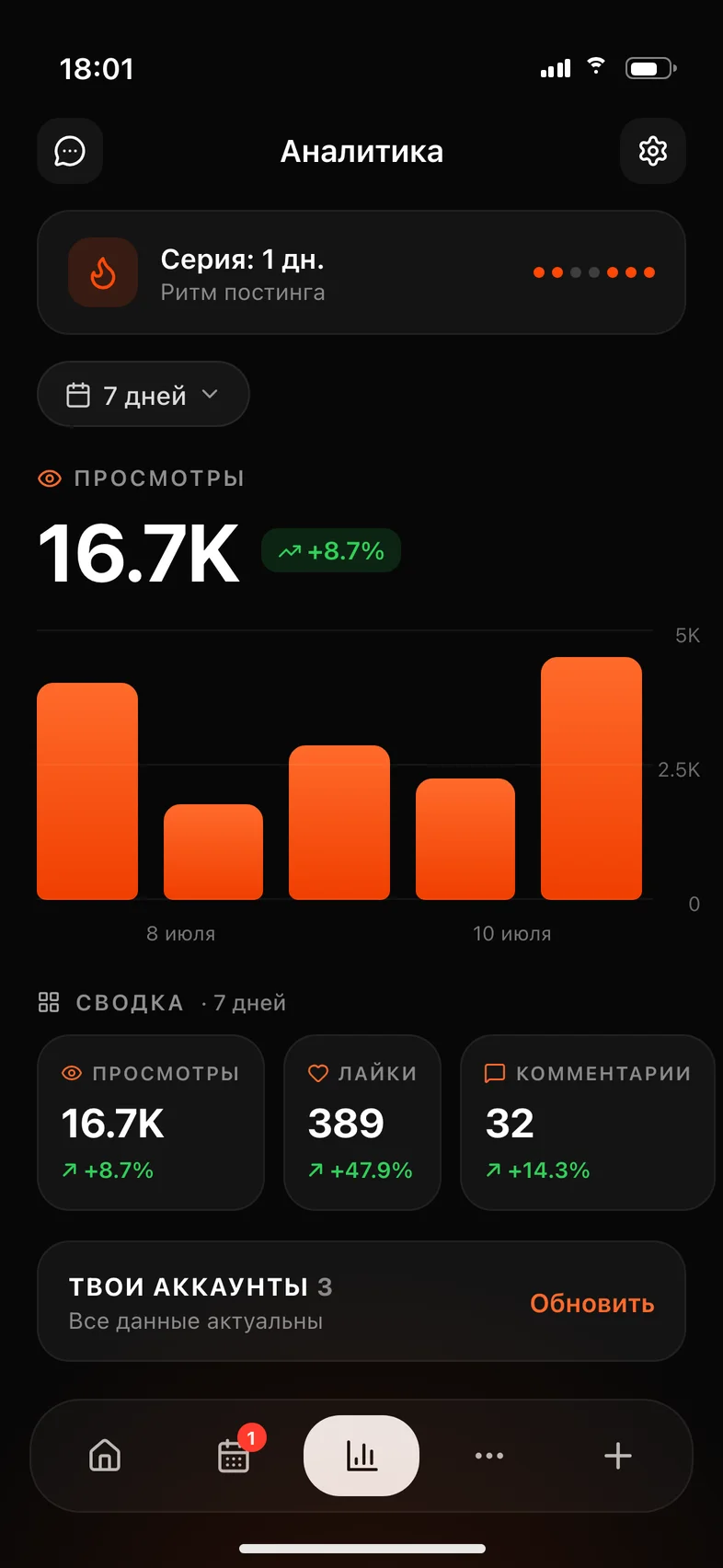
An idea for the next video
Save it now. Return to it in your plan.
Pick it up on your phone
An idea can arrive between other things. Save it in the app, check your plan, and return to your script before filming.
- Save ideas before you lose them
- Open your plan and script before a shoot
- Check how your accounts are doing
Saved material becomes work in progress
Save the material
Add a video or thought to your Inbox to return to it later.
Take it into the plan
Choose a useful mechanic, study the breakdown and prepare your script.
Get it ready to film
Update its stage and return to the material before filming.
Pricing follows the amount of work
Choose your volume, then individual or team access. The plans below show the current price.
- Content being tracked
- Your volume sets how many videos you can keep under tracking at once.
- Breakdowns and scripts
- Energy is used for breakdowns and generation. Your selected subscription includes its energy allocation.
- A team without per-seat charges
- Team access adds a fixed charge to your volume. There is no limit on team members.
Start at 50% off.
Pay when you see value. Full access, cancel anytime.
Questions about the content plan
How is the Inbox different from the plan?
The Inbox holds videos and thoughts for later. The plan holds material you have decided to work on, with script preparation and work stages.
Can I save my own thought without a reference?
Yes. Add either a video or a raw thought to your Inbox, then decide what to work on.
Does Viralmaxing schedule and publish videos?
The content plan helps prepare material and move it through stages. It does not include automatic publishing or a publishing calendar.
Can a team use the plan?
Yes, with team access. The owner chooses member permissions and accessible workspaces.
Can I use it on iPhone?
Yes. The Viralmaxing app lets you save ideas, revisit the plan and work with scripts.
Do I need a separate content plan subscription?
It is part of Viralmaxing. The plans on this page show access, volume and current pricing.
Give your next video a place in the plan
The first month is 50% off. If it doesn’t fit, we refund you within the first 3 days.