Skip to content

Everything for growth on Reels

Find winning videos, write scripts, track results and turn viewers into conversations. One workspace.

One video. The whole workflow.

Your workflow

×4,2
×10,9
×7,4

Found

The video got 4,2× its creator’s usual views and showed up in Suggested on its own.

Saved to your plan

Why it worked

Why it worked: the hook, the pace and the call to action, from the transcript.

Hook
A question in the first second: “Still not using this method?”
Pace
A new shot every 2–3 seconds
Call to action
Comment a word

Script

your voice

In progress

Still filming without a plan?

Three questions that keep a video from flopping

Comment “PLAN” and I’ll send a checklist

Versions

Took it to Direct

A code word in the comments, a message in Direct and a lead in the list.

Comment: “PLAN”

Here’s the checklist! What’s your account about?

Home cooking, I film recipes

New lead

The cover and views are real. The breakdown, script, and conversation are illustrative.

Start from what already worked

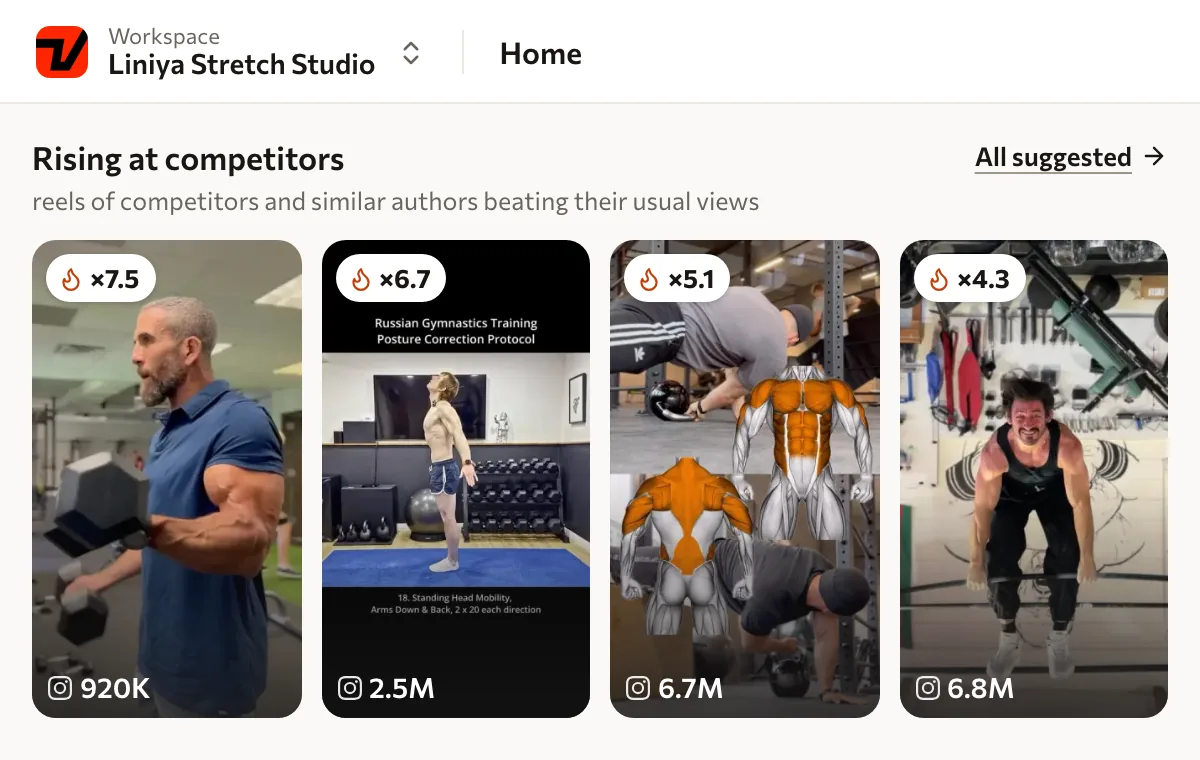
Strong fresh videos from competitors and creators in your niche, the ones that got several times their usual views. One click and the video is in your plan.

  • Multiplier to the creator’s usual views

  • New strong videos every day

  • Topic search when you need your own

Replaces Scrolling the feed Apify Reference spreadsheets
Explore Reels research

Reference

AllFrom competitorsFor you
×3,0
×5,1
×14,8
×2,9
×6,7
×10,9

Illustrated interface with example data.

People from these companies use Viralmaxing

  • skyeng
  • SETTERS
  • SMM SCHOOL
  • vilavi
  • БЮРО
  • LERNA

One post, with its whole story attached

From a reference worth learning from to your own script, filming and results. Pick up exactly where you left off.

A good reference becomes your next video

Save a video, understand its mechanics, write your version and move it into production. The context stays with the material.

Explore the content plan

A script shaped by your context

Add your background, offer and writing style. This context helps adapt a video’s mechanics to your own task.

Each project keeps its own context

Keep your account and client projects in separate workspaces, with team access suited to the work.

The difference shows in the numbers

6.8M
Views on the most watched video in this selection
28.3×
Highest multiple of the author’s usual views
41
Videos in the public selection

A snapshot of real published videos as of 15 October 2026. These figures describe this selection; each multiple compares a video with its author’s usual performance.

One subscription instead of five tools

Create and run your account, read your analytics and answer in Direct, in one place. Each module replaces something you use separately.

A script built on a mechanic, not a guess

The breakdown shows why a video worked. The script takes the same mechanic and writes it on your topic, in your voice.

  • Hook, pace and call to action from the transcript

  • Your voice: tone, audience, banned words

  • One-click edits, versions are kept

Replaces ChatGPT Claude Notes
Explore the script editor

A reference to study

Study the structure, then write on your own topic.

Video script

Video Your script
Status
In progress
Format
Talking head
Length
30 seconds
Direct
PLAN
Script text Versions

How do you choose which Reel to film next?

Start with the videos that already got a response on your account.

Break down one strong video: its topic, first seconds, and what the viewer did next.

Comment PLAN and I will send you a checklist for filming.

Illustration: a real reference cover and an example script document. The text is not a transcript of this video.

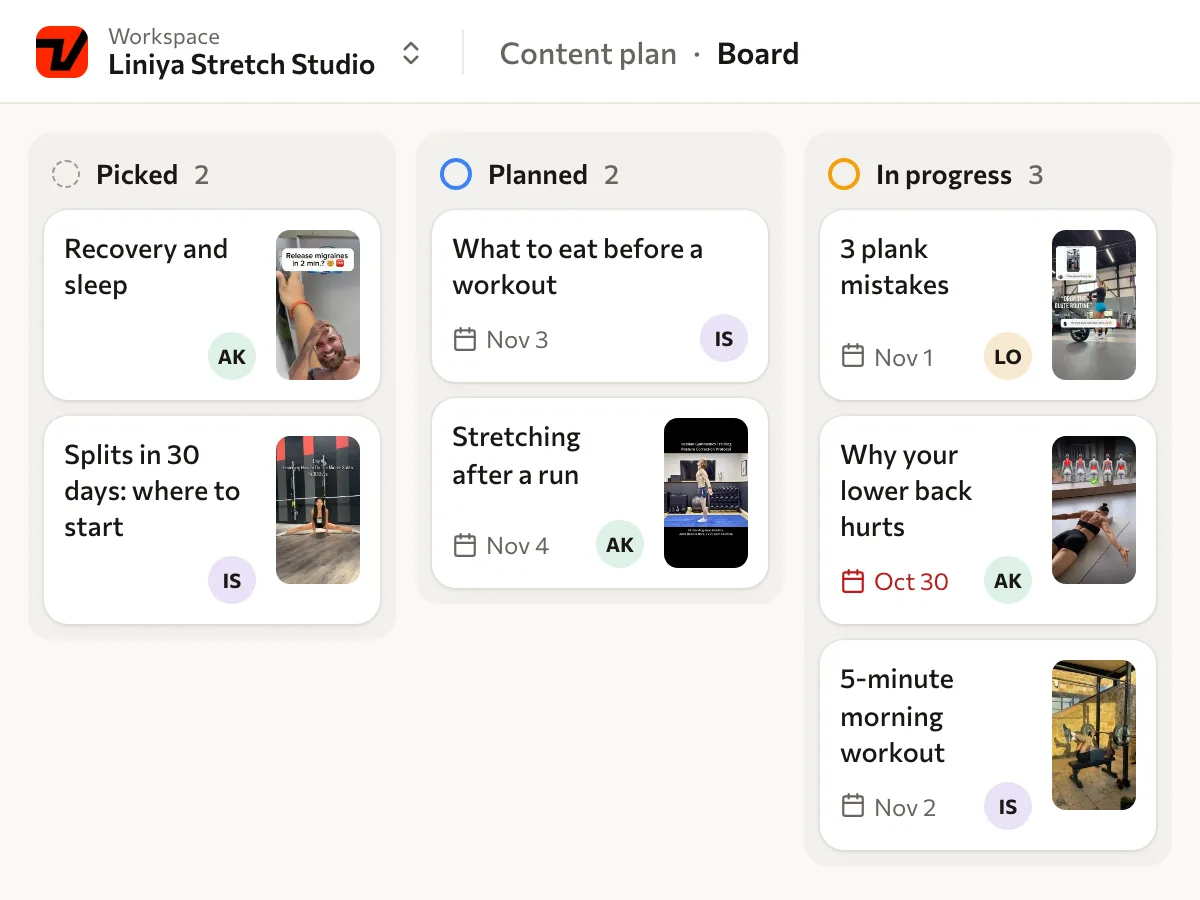
A plan you can see in full

A board of scripts from idea to published video: stages, filming dates and a weekly goal.

  • Board, list and calendar

  • Weekly goal: how many videos to publish

  • Ideas on the go from Telegram and iPhone

Replaces Notion Trello Spreadsheets
Explore the content plan

A plan you can see in full

Idea

3 beginner mistakes in Reels

Script

How I hit my first thousand

Script

Filming

My morning in 30 seconds

Script

Why your videos stall

Script

Published

Answering a follower’s question

Script

A pre-filming checklist

Script

An example content plan. Topics, covers and stages illustrate how material moves through the workflow.

A viewer comments a word and becomes a lead

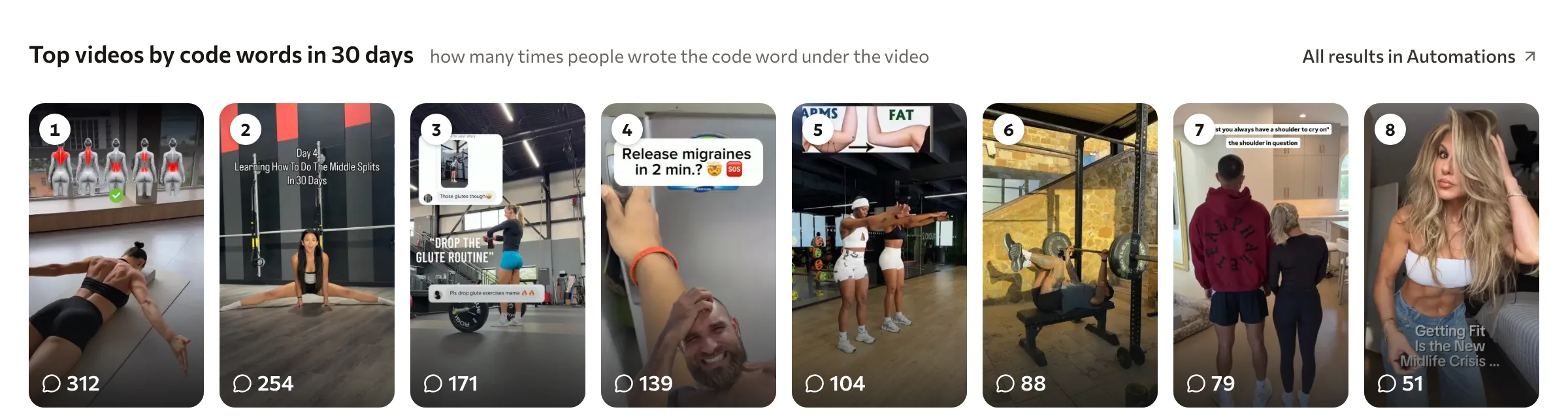
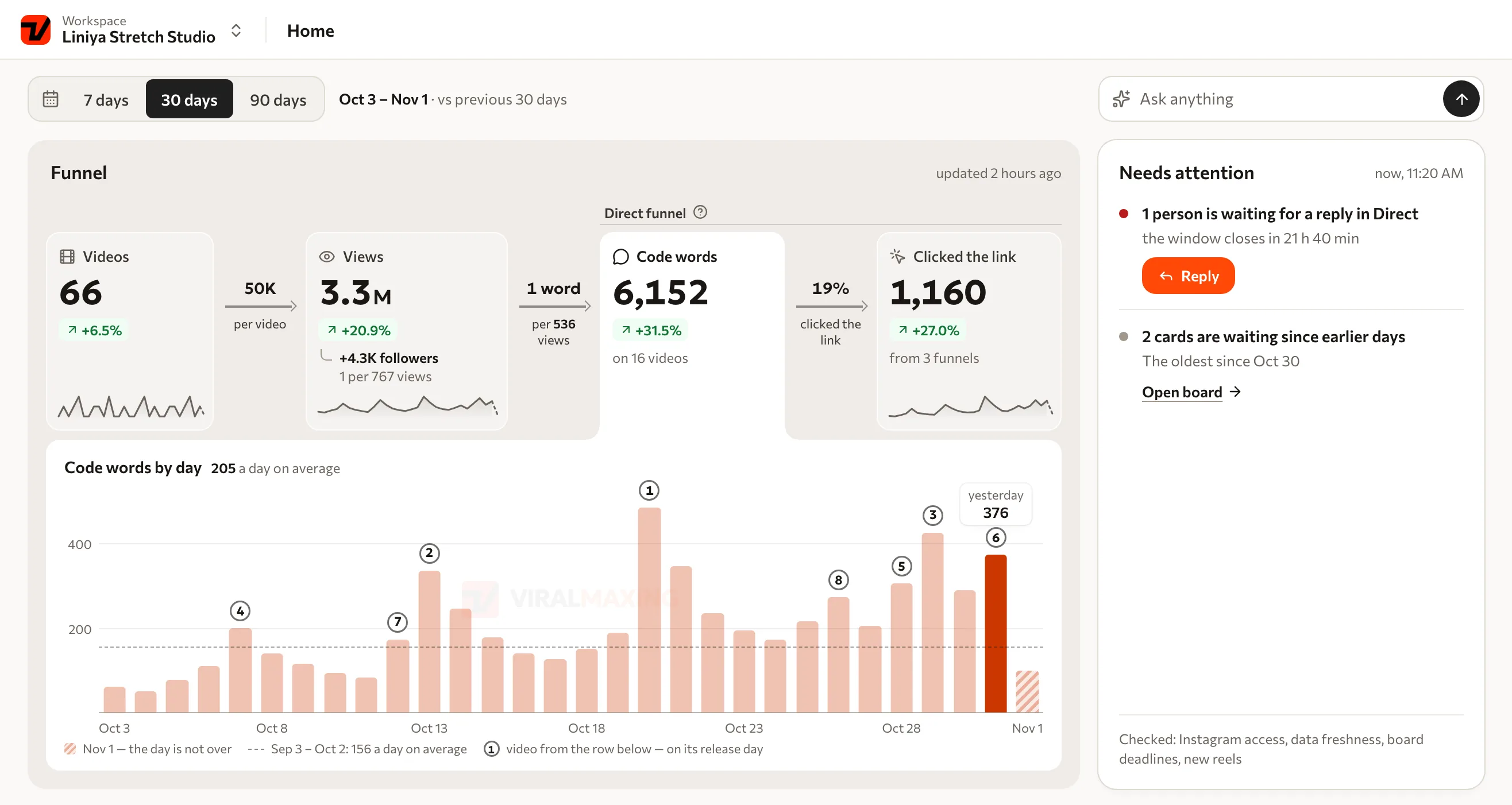
A Direct funnel: a code word in the comments, a message, questions and a lead in the list. You see which video brought people in.

  • A code word under any video

  • Questions and a link right in Direct

  • Leads and conversations in one list

Replaces ManyChat ChatPlace
Explore DM funnels
  1. A response to your video

    Keyword

    PLAN

    A viewer comments the keyword

  2. A conversation in Direct

    Here is the resource. Are you creating for yourself or for a client?
    For my own project
  3. A goal step

    Choose the action that defines a result for this flow.

    The viewer answered a question

    The conversation stays with the lead.

An example Instagram flow. You choose the messages, resource and goal step.

See what worked, for you and your competitors

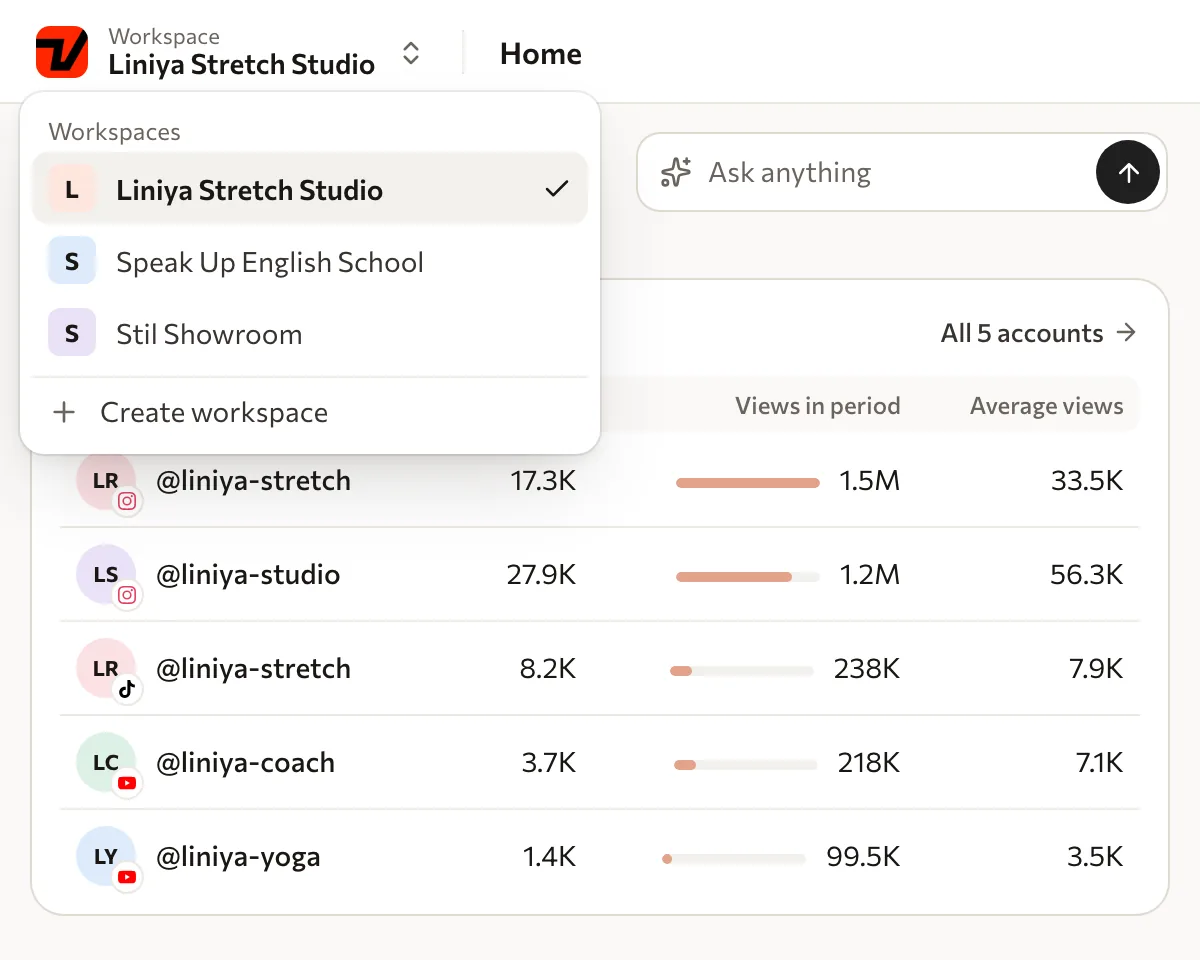
Views, engagement and the best videos of your accounts and competitors for any period.

  • Your accounts and competitors side by side

  • Breakdowns of the best videos

  • Scheduled refresh

Replaces Instagram Insights Metricool
Explore analytics
Viralmaxing analytics: views, posts, engagement, saves and performance over a month

Videos from different platforms, in one view

Bring published videos together, study their performance and take useful mechanics back to your content plan.

  • Instagram
    Instagram
  • TikTok
    TikTok
  • YouTube
    YouTube
  • Facebook
    Facebook
Viralmaxing Logo
Viralmaxing

Research, breakdowns and analytics use platform data. Direct automations work on Instagram.

Works in Claude and ChatGPT

Connect Viralmaxing to your AI agent: it sees your videos, competitors and plan and can act on them, finding videos, writing a script, putting it in your plan. 62 tools.

  • Claude
  • Codex
  • ChatGPT
  • Cursor
  • Gemini CLI
  • VS Code
How to connect

A conversation with the agent

What should I film this week in my niche?

Viralmaxing · Suggested

Three videos from your niche got several times their usual views:

Add the first one to your plan and write a script?

×2.6
×10.4
×18.8

Illustrated interface with example data.

And the details that get a video made

Save material, revisit a breakdown, write in your voice and keep going on whichever device suits the moment.

Save it for later

Good references and raw thoughts go to your Inbox first. Move into the plan when you decide to work on them.

Your context and voice

Scripts draw on who you are, how you speak and what you offer your audience.

Understand what was said

A transcript and breakdown help you see the hook, structure and mechanics of a video.

A workspace for every project

References, competitors and scripts stay in the context of their own project.

Take your plan and script with you

Save a thought on the go, revisit the plan and open a script before filming in the iPhone app.

The fragments illustrate the interface. The iPhone screen is from the Viralmaxing app.

Small things you use every day

Inbox

One place for references and thoughts to revisit.

Transcripts

The video’s words alongside its breakdown.

Your voice

Your context, carried into your scripts.

On iPhone

Your saved ideas, plan and scripts on the go.

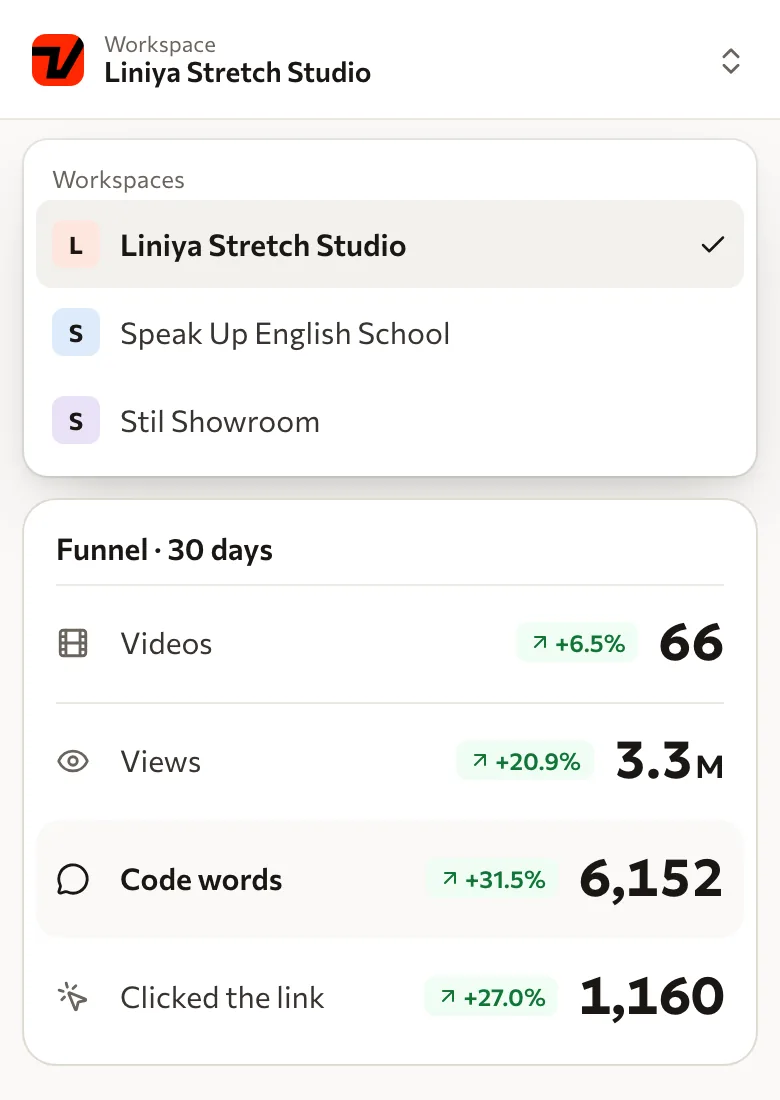
Each project, its own space

Your own account, a new topic, or a client project. Keep competitors, ideas, and scripts separate, and continue working with your team.

  • Keep each project’s material together
  • Switch workspaces within one account
Viralmaxing for teams

Switch the example workspace

Personal account

Expert content and preparation for filming

  • Three mistakes before filming Reels

    Idea
  • One idea for the next video

    Filming
  • How I plan my week

    Published
Workspace illustration. Project names, topics, and stages are examples.
Analytics in the Viralmaxing iPhone app

An idea for the next video

Save it now. Return to it in your plan.

An iPhone app screen. The idea note is an illustration.

Pick it up on your phone

An idea can arrive between other things. Save it in the app, check your plan, and return to your script before filming.

  • Save ideas before you lose them
  • Open your plan and script before a shoot
  • Check how your accounts are doing

From Viralmaxing users

Действительно удобней сервис для ускорения анализа и создания коротких видео. Ребята постоянно развиваются, респект 👏
Evgeny Antonov ddApp Store, Russia
It’s incredibly easy to use and has made creating engaging, viral-ready videos so much faster.
danbom23App Store, US

If you’re not sure

I don’t have many followers

You can start without your own stats: Suggested shows videos that already worked in your niche, and the script moves their mechanic onto your topic.

I already use ChatGPT

Keep using ChatGPT. Connect Viralmaxing to give your agent access to your videos, competitors and content plan. It can find references, draft scripts and add them to your plan.

Connect ChatGPT
I don’t have time to figure it out

Enter your Instagram and see right away what works and what to film next. After that the product brings strong videos every day on its own.

What if it doesn’t fit?

The first month is 50% off and you can cancel in one click. If it doesn’t fit, we refund you within the first 3 days.

Fewer tabs around every video

Research, scripts, planning and results stay in one workflow. Compare how those jobs can fit together.

Fewer tabs around every video
TaskSeparate tools Viralmaxing
Find a referenceA feed, bookmarks and a spreadsheet of linksVideo research, performance multiples and an Inbox
Write the scriptChatGPT and a separate context documentBreakdown, adaptation and your voice beside the reference
Get it filmedNotion, Trello or a spreadsheet of stagesAn Inbox, script and content board
Understand the resultPlatform stats and manual comparisonAccount analytics and video comparison
Start a conversationManyChat, ChatPlace or manual repliesAn Instagram flow, messages and lead management

This compares a typical workflow. Individual tools may cover more than the jobs shown here.

Pricing follows the amount of work

Choose your volume, then individual or team access. The plans below show the current price.

Content being tracked
Your volume sets how many videos you can keep under tracking at once.
Breakdowns and scripts
Energy is used for breakdowns and generation. Your selected subscription includes its energy allocation.
A team without per-seat charges
Team access adds a fixed charge to your volume. There is no limit on team members.

Start at 50% off.

Pay when you see value. Full access, cancel anytime.

Frequently asked questions

Short answers to what people ask most before getting started.

What does Viralmaxing include?

Strong videos from your niche, breakdowns and scripts in your voice, a content plan, analytics for your accounts and competitors, and Direct funnels, in one subscription.

Do I need a card to pay?

Yes, payment is by card. The first month is 50% off, then the full plan price. You can cancel any time.

Which platforms does analytics cover?

Instagram, TikTok, YouTube and Facebook: your own accounts and your competitors’. Direct funnels work on Instagram.

Who writes the scripts?

AI, based on the mechanic of a video that already worked: the hook, pace and call to action move onto your topic. You set your voice, audience and banned words once and can edit with one click.

Does it work for teams and agencies?

Yes: a separate workspace for each client, team members with their own access and a shared content plan.

Can I cancel any time?

Yes, in one click in settings. Access stays until the end of the paid period. If it doesn’t fit, we refund you within the first 3 days.

Start with one account

The first month is 50% off. If it doesn’t fit, we refund you within the first 3 days.